22 दिनमा Excel Expert बन्नुस्
Beginner देखि Advanced सम्म
Live Classes + Recorded + Real-world Projects
Live + Recorded
Certificate Included
WhatsApp Support
Nepali Medium
LIVE CLASS PROOF
हाम्रो Live Class हेर्नुस्
हरेक दिन 49+ students live join गरेर सिक्छन्
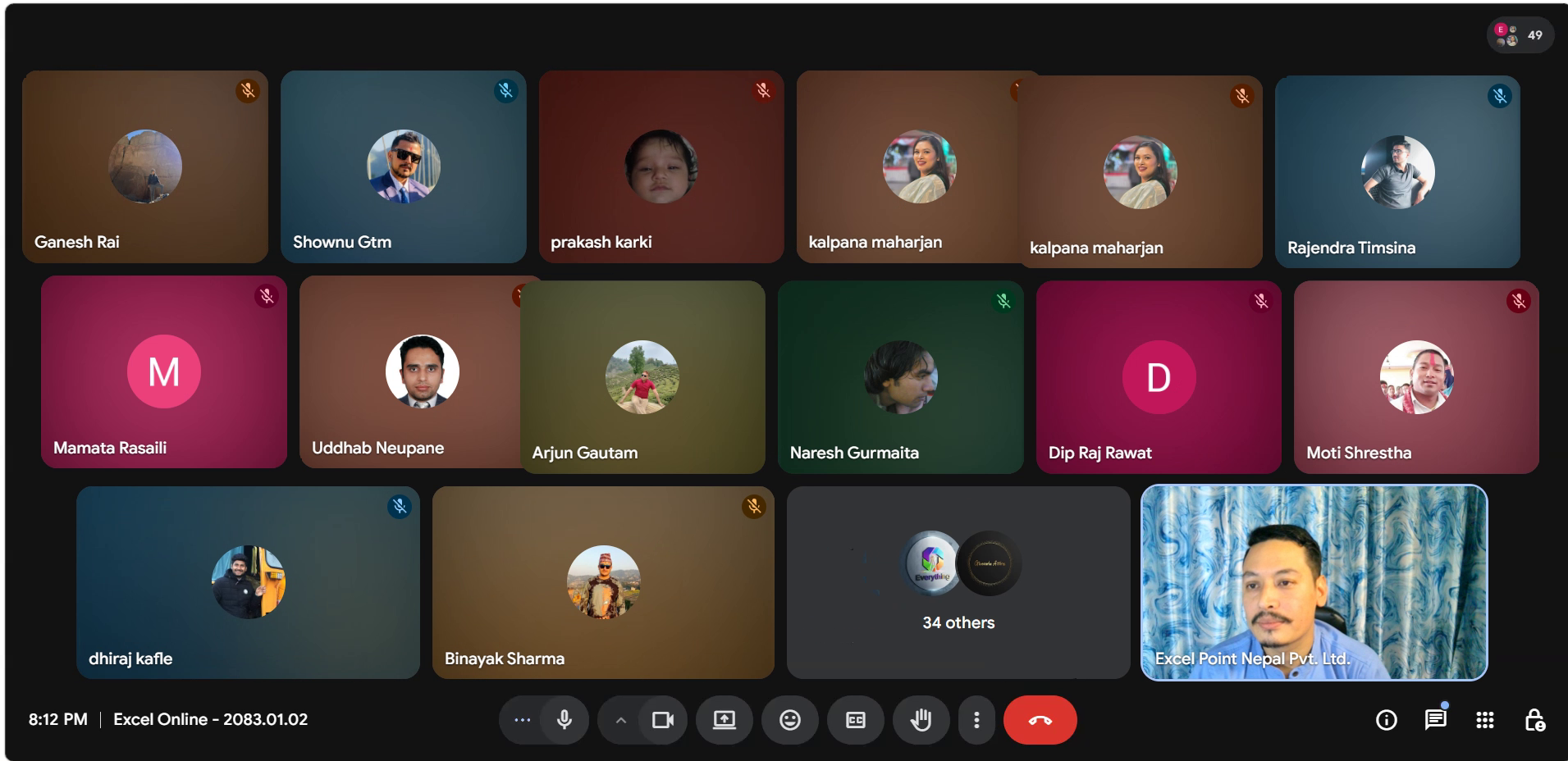
Live Class
49+ Students Online
Excel Online Class — 2083.01.02
Excel Point Nepal Pvt. Ltd. | Sanjay Shrestha
तपाईं पनि यो Live Community को part बन्न तयार हुनुहुन्छ?
यो Course कसको लागि हो?
Students
Practice र revision सहित detail training चाहिने
Job Seekers
Accounting, MIS, Analyst role को तयारी
Professionals
Step-by-step learning prefer गर्ने
Business Owners
Reports, records, analysis गर्ने accountants
--------- WHAT YOU'LL ACHIEVE ---------
Course पछि के पाउनुहुन्छ?
01
Excel Beginner देखि Expert Level सम्म master गर्नुस्
02
Business मा real-world applicable skills
03
Dashboard, Automation, Data Analysis
04
Career opportunities boost हुन्छ
--------- COURSE CURRICULUM ---------
के-के सिक्नुहुन्छ?
- Introduction to Excel interface & powerful tools
- Key features & tools for efficiency
- Customizing Ribbon & Quick Access Toolbar
- Workbooks, Worksheets & Cell Navigation
- Automate data entry with Auto Fill
- Professional Text & Number Formatting
- Create an Invoice Template step-by-step
- Enhance tables for better readability
- Absolute, Relative & Mixed Cell References
- Using references effectively in formulas
- Create Ledger Accounts with Excel Tables
- Guided practice of all Day 1–3 concepts with exercises
- Deep dive into Home Tab functions
- Paste Special — advanced copy-paste tricks
- Conditional Formatting to highlight key data patterns
- Apply Conditional Formatting in real-world scenarios
- Paste Special tricks in business use cases
- SUM, AVERAGE, COUNT, MIN, MAX, SUBTOTAL, AGGREGATE
- SUMIF, COUNTIF, AVERAGEIF — single condition
- SUMIFS, COUNTIFS, AVERAGEIFS — multiple conditions
- Solve real-world data analysis problems
- Optimize print settings for reports
- Set up headers, footers & page numbers
- Configure print areas for large datasets
- IF, AND, OR — foundation of conditional logic
- Nested IF — step-by-step multi-level conditions
- IFS — cleaner alternative to Nested IF
- SWITCH — elegant multi-case logic in one formula
- Complex multi-condition real-world problems
- Grade calculator, salary slab, discount logic — real projects
- Debugging Nested IF — common mistakes & how to fix
- IFS vs Nested IF — when to use which
- VLOOKUP, HLOOKUP — classic lookup functions
- XLOOKUP — modern powerful replacement for VLOOKUP
- INDEX & MATCH — the most powerful lookup combo
- Solve real-world lookup problems & dynamic references
- Two-way lookup, approximate match real scenarios
- Create Named Ranges for better formula readability
- Dynamic Ranges using OFFSET & Excel Tables
- Data Validation — dropdown lists & custom input rules
- FILTER — extract data dynamically with conditions
- UNIQUE — automatically remove duplicates
- SORT & SORTBY — dynamic sorting without manual effort
- INDIRECT & HYPERLINK for dynamic sheet linking
- Excel 365 — Brand new functions
- SEQUENCE — generate number series automatically
- LET — define variables inside a formula (game changer)
- LAMBDA — create your own custom reusable functions
- BYROW / BYCOL — apply calculations row-by-row or column-by-column
- MAP, REDUCE, MAKEARRAY — advanced array manipulation
- XLOOKUP advanced — multiple return columns & spill
- DATEDIF, NETWORKDAYS, WORKDAY — business calculations
- YEAR, MONTH, DAY, HOUR, MINUTE, SECOND
- DATE, EDATE, EOMONTH, TODAY, NOW, WEEKDAY & more
- Secure Excel files with passwords & sheet protection
- LEFT, RIGHT, MID, TRIM, LEN — text extraction
- SEARCH, FIND, SUBSTITUTE, REPLACE — text manipulation
- CONCAT, TEXTJOIN, UPPER, LOWER, PROPER, TEXT
- Create & customize PivotTables from scratch
- Sorting, filtering & grouping for deeper insights
- Value Field Settings — Sum, Count, % of total, Average
- Generate professional business reports
- Multi-table analysis using PivotTable relationships
- Advanced PivotTable — Bonus
- Calculated Fields & Calculated Items in PivotTable
- Slicers & Timeline — interactive filtering for reports
- Group by date — Year, Quarter, Month automatically
- PowerPivot intro — handle large datasets beyond Excel limits
- Create dynamic dashboards with charts & slicers
- Chart types — Bar, Line, Pie, Combo, Waterfall
- Professional dashboard design for reporting
- INDEX, MATCH, INDIRECT for powerful dashboard features
- Dynamic chart titles & interactive dropdown controls
- KPI cards & summary metrics design
- Introduction to Macros & real-world applications
- Record, edit & execute Macros to automate repetitive tasks
- Basic VBA — variables, loops & conditions
- Automate reports & data entry with VBA code
- AI + Excel — Bonus Module
- ChatGPT for formula generation — describe & get formula instantly
- AI-powered data cleaning & analysis workflows
- Copilot in Excel — Microsoft's built-in AI assistant
- Generate VBA code using AI — automate 10x faster
- Real-world AI + Excel business project
-----YOUR INSTRUCTOR-----
तपाईंलाई कसले पढाउँछ?

Sanjay Shrestha
Excel & AI Trainer | Founder, Excel Point Nepal
Nepal मा Excel, VBA, Power BI र AI+Excel integration को expert trainer। Practical, real-world approach मा हजारौं students लाई पढाइसकेको अनुभव।
10K+
Students
100K+
YouTube Views
13+
Years Exp.
-----STUDENT REVIEWS-----
Students के भन्छन्?











--------- ENROLL NOW ---------
Course Fee
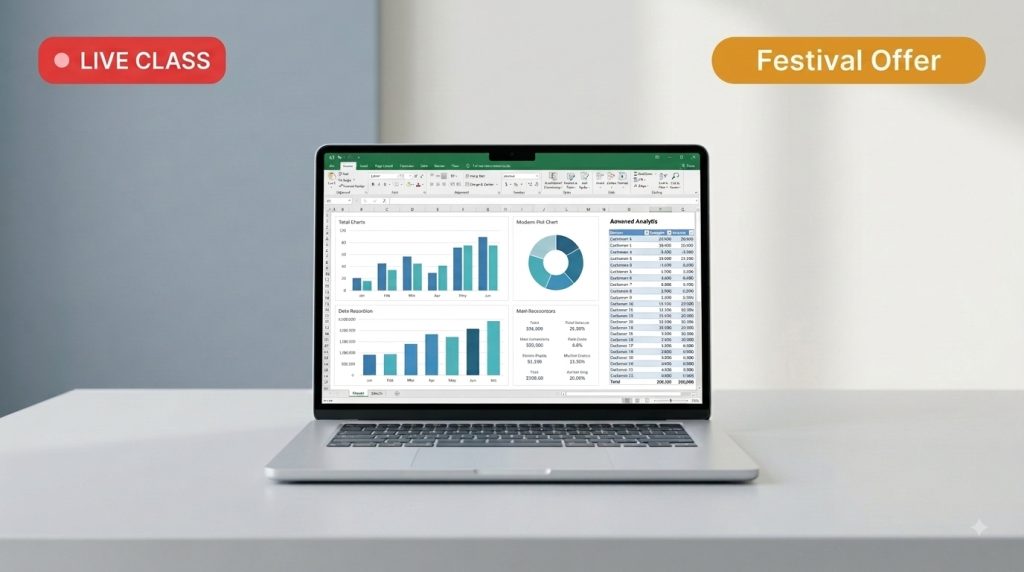
Advanced Excel
Rs. 3000
Rs. 990
*(Valid till Tihar / तिहार अघि रजिष्ट्रेसन गरेमा मात्र)*
 Duration: 22 Days (1 Hour/Day)
 Fixed Time: 8:00 PM to 9:00 PM
 WhatsApp Support Group
 Class Recordings
 Course Complete Certificate Included
 Practice Files & Resources
Real-world Projects
--------- FAQ ---------
Frequently Asked Questions
22 दिन — हरेक दिन 1 घण्टा Live class हुन्छ। Miss भएको class record Online मा हेर्न पाइन्छ।
सबै classes record हुन्छन् र pachhi one year samma Online ma हेर्न मिल्छ।
हजुर, course complete भएपछि Excel Point Nepal को digital certificate of Complication दिइन्छ।
eSewa, Khalti, Bank Transfer — जुन सुविधाजनक लाग्छ त्यसैले गर्न मिल्छ।
Beginner देखि Intermediate level सम्मको लागि — Excel नजानेकाले पनि join गर्न मिल्छ।
Class record videos download गर्न मिल्दैन।
तपाईंले online मा मात्र (1 Year Access) हेर्न सक्नुहुन्छ।
