Excel VBA Full Course Nepal (Beginner to Advanced)

Learn Macros, VBE, UserForms, Loops, Variables, CRUD System, Live Project & More.
✔ 21 Modules ✔ Beginner Friendly
✔ Lifetime Access ✔ Certificate Included
Training session with Citizen Life Insurance co. Ltd.

Excel VBA सिकेर Job/Office मा काम सजिलो बनाउनुहोस्।

“Excel VBA Complete Course” is a step-by-step training designed for beginners who want to master automation inside Excel. This course covers 21 sections including macros, loops, UserForms, data validation, and real-world project examples. Whether you are a student or office employee, this complete VBA training will upgrade your Excel skill to the next level

☑ Perfect for Beginners
☑ Real-world Projects
☑ 100% Practical Lessons
☑ Learn at Your Own Place
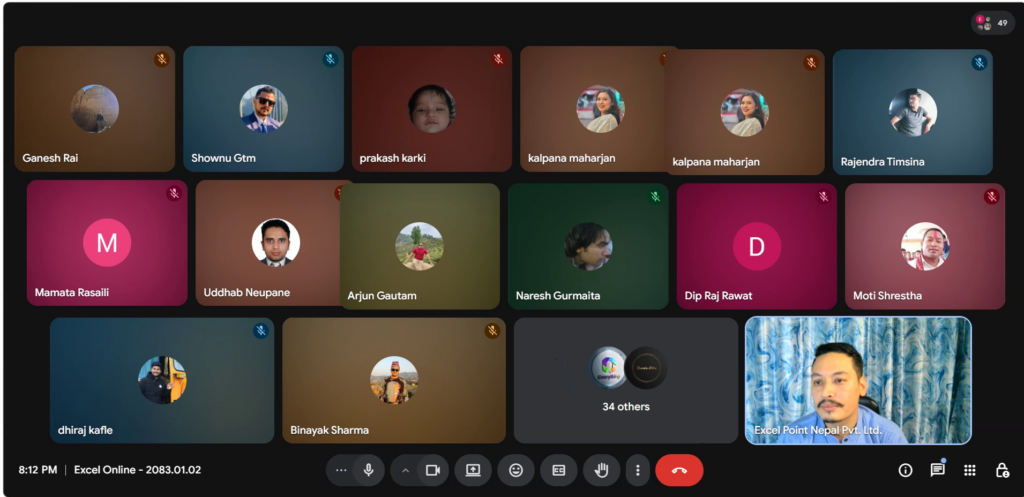
☑ Live Instructor Guidance
☑ Job Releted Projects
☑ Practice Files + Record Videos
☑ Course Complete Certificate

Course Schedule

Start:
Time:
Duration:

Price

Normal:
Offer:

Student Feedback

Excel Point Nepal Pvt. Ltd. place picture
4.9
Based on 217 reviews
powered by Google
Suvash Chaudhary profile pictureSuvash Chaudhary
15:47 09 Nov 25
Sir's class is very good. I thought he would teach me anything for Rs. 500, but it turns out he teaches me very deep things.
Response from the owner 14:30 04 Nov 25
Thank you so much
Ranjita Chaudhary profile pictureRanjita Chaudhary
02:12 02 Nov 25
Excel Point is an excellent place with truly professional service. The best part is Mr. Sanjay Kumar Shrestha — he is extremely reliable, knowledgeable, and always ready to help with a smile. His dedication and commitment make every experience smooth and trustworthy.
If you’re looking for quality, honesty, and excellent customer care, Excel Point — especially Sanjay Kumar Shrestha — is the best choice! Highly recommended!

Response from the owner 14:29 04 Nov 25
Thank you so much
Rabindra Shrestha profile pictureRabindra Shrestha
01:06 02 Nov 25
Great Excel virtual class!
Very clear, practical, and easy to follow. Learned a lot and highly recommend!

Response from the owner 14:30 04 Nov 25
Thank you so much
Pooja Sharma profile picturePooja Sharma
14:27 15 Oct 25
Excellent service! it was professional, responsive, and delivered exactly what i expected . Highly satisfied
Response from the owner 14:29 04 Nov 25
Thank you so much
Ang Kusang Sherpa profile pictureAng Kusang Sherpa
07:55 15 Oct 25
Excellent learning experience in very minimal price. Strongly recommended for all.
Response from the owner 14:30 04 Nov 25
Thank you so much
Lal bahadur Thapa profile pictureLal bahadur Thapa
14:12 14 Oct 25
i loved teaching technique.
Response from the owner 14:30 04 Nov 25
Thank you so much
Bimal Chapagai profile pictureBimal Chapagai
05:55 13 Oct 25
Good one
Response from the owner 14:30 04 Nov 25
Thank you so much
Dipak Charchit profile pictureDipak Charchit
04:34 13 Oct 25
Class is very fruitful and interactive. Excel Point Nepal is not only a training center it is an institutions. One of the best institutions for Excel for beginers to all.
Response from the owner 14:31 04 Nov 25
Thank you so much
Usha Budhathoki profile pictureUsha Budhathoki
04:26 13 Oct 25
Bal Krishna profile pictureBal Krishna
02:44 13 Oct 25
Impressive
Thank you sir for wonderful classes
Response from the owner 14:31 04 Nov 25
Thank you so much

Course Outline

Section 1: Introduction to Macros & VBA (1.5 Hours – Beginner)
  • Lesson 1: What are Macros and Why Use Them?
  • Lesson 2: Difference Between Macros & VBA
  • Lesson 3: Developer Tab & Macro Recorder
  • Lesson 4: First Macro Recording
  • Lesson 5: Absolute vs Relative Recording
  • Lesson 6: Project: Automate a Simple Task
Section 2: Introduction to Visual Basic Editor (VBE) (1.5 Hours – Beginner)
  • Lesson 7: Interface Overview (Project Explorer, Code Window)
  • Lesson 8: Writing Your First VBA Code
  • Lesson 9: Ways to Run Macros / Code
  • Lesson 10: Protecting VBA Projects
Section 3: Understanding the VBA Object Model (2 Hours – Beginner)
  • Lesson 11: Object Hierarchy: Application → Workbook → Worksheet → Range
  • Lesson 12: Properties & Methods
  • Lesson 13: Object Referencing
  • Lesson 14: Mini Project: Simple Automation using Object Model
Section 4: Working with Ranges (2 Hours – Beginner)
  • Lesson 15: Selecting & Manipulating Ranges
  • Lesson 16: Using Cells, Rows & Columns Objects
  • Lesson 17: Range Properties & Methods
  • Lesson 18: Activity & Project
Section 5: Excel Formatting Using VBA (1.5 Hours – Beginner)
  • Lesson 19: Font Formatting
  • Lesson 20: Cell Formatting
  • Lesson 21: Number Formatting
  • Lesson 22: Clipboard Operations with VBA
  • Lesson 23: Real-world Automation Project
Section 6: Working with Worksheets & Workbooks (2 Hours – Beginner)
  • Lesson 24: Add, Delete, Rename Sheets
  • Lesson 25: Worksheet Properties & Methods
  • Lesson 26: Referencing Multiple Workbooks
  • Lesson 27: Saving Macro & Non-Macro Versions
  • Lesson 28: Activity & Project
Section 7: Variables & Data Types (1.5 Hours – Beginner → Intermediate)
  • Lesson 29: Declaring Variables
  • Lesson 30: Data Types (Integer, String, Double, Variant, etc.)
  • Lesson 31: Option Explicit & Variable Scope
  • Lesson 32: Activity & Project
Section 8: Control Structures (2 Hours – Intermediate)
  • Lesson 33: If…Then…Else / Nested Ifs
  • Lesson 34: Select Case
  • Lesson 35: With…End With
  • Lesson 36: GoTo Statement
  • Lesson 37: Activity & Project
Section 9: Looping in VBA (2.5 Hours – Intermediate)
  • Lesson 38: For…Next, Nested & Reverse Loops
  • Lesson 39: Do While / Do Until Loops
  • Lesson 40: For Each Loops (Sheets, Ranges, etc.)
  • Lesson 41: Find Method for Single/Multiple Matches
  • Lesson 42: Activity & Project
Section 10: Built-in & Worksheet Functions (2 Hours – Intermediate)
  • Lesson 43: Using WorksheetFunction in VBA
  • Lesson 44: Common VBA Functions (String, Date, Math)
  • Lesson 45: Message Box (Yes/No/Cancel)
  • Lesson 46: InputBox (User Input & Range Selection)
  • Lesson 47: Activity & Project
Section 11: Debugging & Error Handling (2 Hours – Intermediate)
  • Lesson 48: Debugging Tools: Watch, Locals, Immediate
  • Lesson 49: Step Into/Over/Out
  • Lesson 50: On Error Resume / GoTo
  • Lesson 51: Error Handling Project
Section 12: Arrays in VBA (2 Hours – Intermediate)
  • Lesson 52: One & Two Dimensional Arrays
  • Lesson 53: Dynamic & Variant Arrays
  • Lesson 54: ReDim and Adding Elements
  • Lesson 55: Activity & Project
Section 13: Excel Tables with VBA (2 Hours – Intermediate)
  • Lesson 56: Create & Format Tables using VBA
  • Lesson 57: Add/Delete Rows & Columns
  • Lesson 58: Referencing Table Elements
  • Lesson 59: Sorting & Filtering with VBA
  • Lesson 60: Dynamic Table Resizing
Section 14: Excel Formulas via VBA (1.5 Hours – Intermediate)
  • Lesson 61: Writing & Executing Formulas in VBA
  • Lesson 62: Using Functions & Cell References
  • Lesson 63: Handling Formula Errors
  • Lesson 64: Activity & Project
Section 15: Working with Files & Folders (2.5 Hours – Intermediate → Advanced)
  • Lesson 65: Dir Function, GetOpenFilename, FileDialog
  • Lesson 66: Reading/Writing Text & CSV Files
  • Lesson 67: Exporting & Printing Data
  • Lesson 68: Activity & Project
Section 16: Pivot Tables using VBA (2 Hours – Advanced)
  • Lesson 69: Creating & Modifying Pivot Tables
  • Lesson 70: Filtering & Sorting
  • Lesson 71: Refreshing Data
  • Lesson 72: Calculated Fields & Items
  • Lesson 73: Activity & Project
Section 17: UserForms – Building Interactive Tools (3 Hours – Advanced)
  • Lesson 74: Overview & Components
  • Lesson 75: Creating Forms & Adding Controls
  • Lesson 76: Form Events (Initialize, Click, Change)
  • Lesson 77: Input Validation & Advanced Controls
  • Lesson 78: Customizing Appearance & Navigation
  • Lesson 79: Project: Build a Data Entry Form
Section 18: Working with Data from Forms (2.5 Hours – Advanced)
  • Lesson 80: Sending Form Data to Worksheets
  • Lesson 81: Searching, Updating & Deleting Records
  • Lesson 82: Filtering & Sorting via Forms
  • Lesson 83: Error Handling in Forms
  • Lesson 84: Activity & Project
Section 19: Custom Functions (UDFs) (2 Hours – Advanced)
  • Lesson 85: Structure of a Custom Function
  • Lesson 86: Conditional Logic & Loops
  • Lesson 87: Arrays & Error Handling in Functions
  • Lesson 88: Debugging UDFs
  • Lesson 89: Activity & Project
Section 20: Advanced Projects (5 Hours – Advanced)
  • Lesson 90: Automated Report Generator
  • Lesson 91: Data Entry Form with Search
  • Lesson 92: Personalized Email Sender
  • Lesson 93: Capstone: Excel Dashboard Automation
Section 21: Integration & Automation (3 Hours – Advanced+)
  • Lesson 94: Send Emails via Outlook
  • Lesson 95: Export Data to Word/PDF
  • Lesson 96: Automate Multi-Workbook Consolidation
  • Lesson 97: Workbook_Open Events & Scheduling Macros

Excel VBA Training in Nepal

Master Data Analysis & Business Automation

Excel VBA Training in Nepal – Course Highlights

Advanced Excel Demo Class – First Day | Excel Point Nepal Pvt. Ltd.

Experience the first day of our Advanced Excel course with this free demo class! Learn essential Excel functions, formulas, and data analysis techniques taught by expert instructors at Excel Point Nepal Pvt. Ltd. Watch now and take the first step toward mastering Excel!

Number of Students per Group: Min - 5 and Max - 50

Secure & Easy Payment via QR Code | Excel Point Nepal Pvt. Ltd.

Make hassle-free payments with our secure QR code system. Scan, pay, and confirm instantly using your preferred mobile banking or digital wallet. Fast, easy, and secure—experience seamless transactions with Excel Point Nepal Pvt. Ltd.

🎓 Course Completion Certificate | Excel Point Nepal Pvt. Ltd.

Congratulations on completing your course with Excel Point Nepal Pvt. Ltd.! To receive your official Course Completion Certificate, please contact us. Showcase your Excel skills and enhance your career opportunities by validating your achievement today!

Certificate - Excel Point Nepal

Student Testimonials and Success Stories | Excel Point Nepal Pvt. Ltd.

Why Choose Excel Point Nepal for Advanced Excel Training in Nepal

At Excel Point Nepal, we understand the growing need for advanced Excel skills in the workforce. Our advanced Excel course offers the following key benefits:

  • Industry Experts as Trainers
    Learn from instructors with decades of hands-on experience in Excel and data analysis.

  • Excel Certification
    Earn a recognized Excel certification to showcase your skills and stand out to potential employers.

  • Placement Assistance for Deserving Trainees
    We offer placement opportunities for outstanding trainees, helping you transition into your desired career.

  • Diverse Career Opportunities
    Our training prepares you for roles such as data analyst, data entry operator, accountant, and more.

  • Comprehensive Training Resources
    Access a wealth of resources to support your learning and career growth.

  • Practical, Hands-On Training
    Participate in regular practical classes that allow you to apply advanced Excel skills to real-world scenarios.

Rules & Regulations:

Upcoming Courses

Unlock your potential with our comprehensive training programs.

15 Hour Lesson

Excel Data Cleaning & Visualization (Live)

This course is designed to equip participants with the skills needed to clean and visualize data effectively using Microsoft Excel, Power Query, and Power BI. Participants will gain hands-on experience in data cleaning techniques, transforming raw data into meaningful insights, and creating compelling visualizations for better decision-making.

Advanced Excel Record Class

30 Hour Lesson

Advanced Excel (Recorded Class)

Unlock the full potential of Microsoft Excel with our comprehensive and interactive live class videos designed for users who want to take their Excel skills to the next level. Whether you’re a business professional, data analyst, finance professional, or a student, these videos are tailored to enhance your proficiency in Excel and boost your productivity.